From blank canvas to bound quilt.

StitchBlock is the quilt design studio that runs in your browser. Lay out blocks on an open worktable, audition 8,000+ real fabrics at true scale, and leave with cutting math you can trust.

Scroll to watch a quilt come together ↓
01 / DESIGN

Stamp blocks on an open canvas.

Arrange, turn, and recolor blocks any way you like. Choose from many layouts: straight, sashed, on-point, single-block, custom, and more. Merge cells to make room for larger blocks. Your quilt updates as you go.
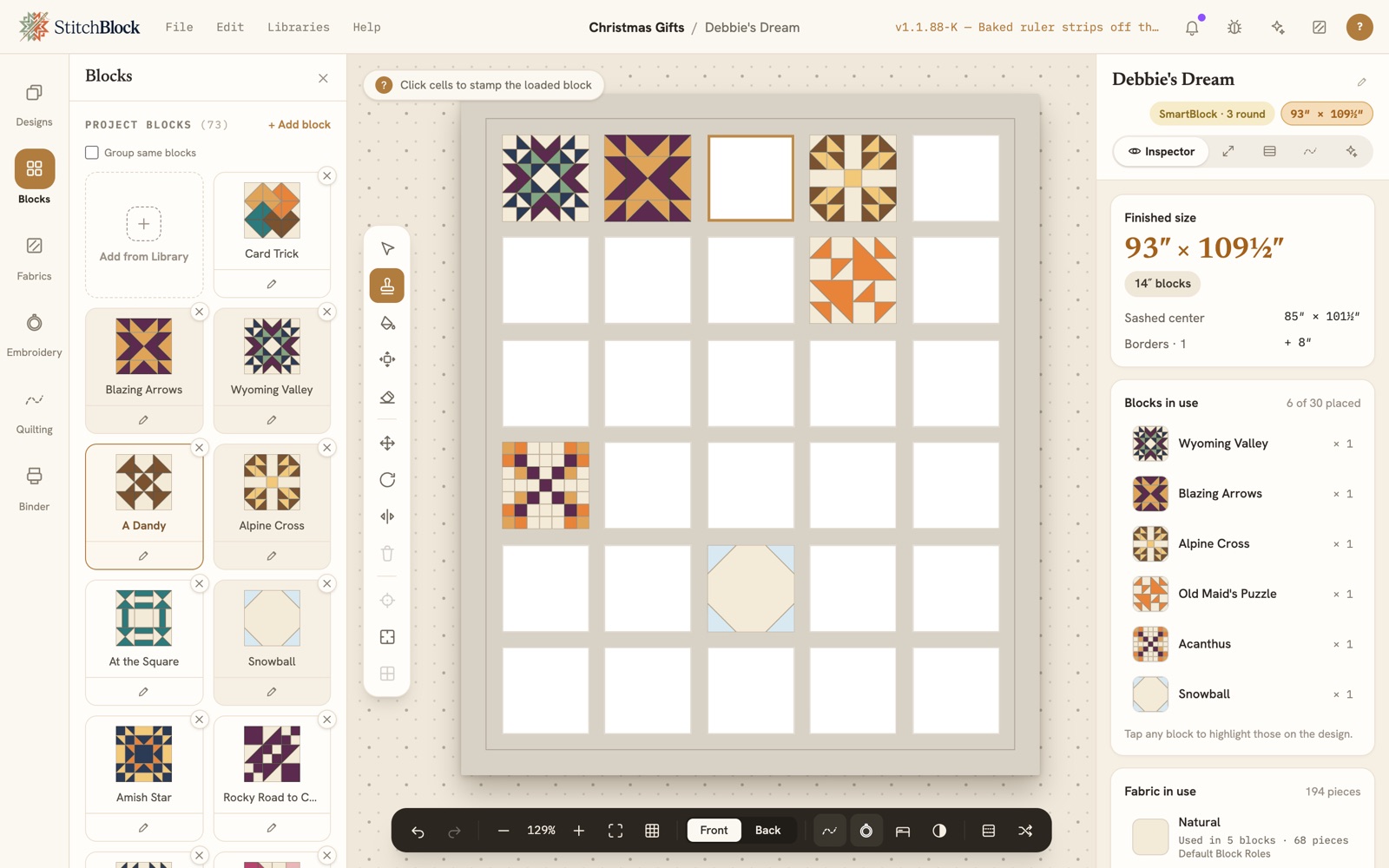
The StitchBlock worktable with Debbie's Dream, a thirty-block sampler sized to a twin bed, just begun: six blocks placed here and there on the open grid, the Blocks panel on the left with the next block loaded on the Stamp tool
02 / AUDITION

Color it with real fabric.

Choose real manufacturer fabrics, or upload your own from your phone. Recolor the whole quilt at once, or one piece at a time with a single tap.
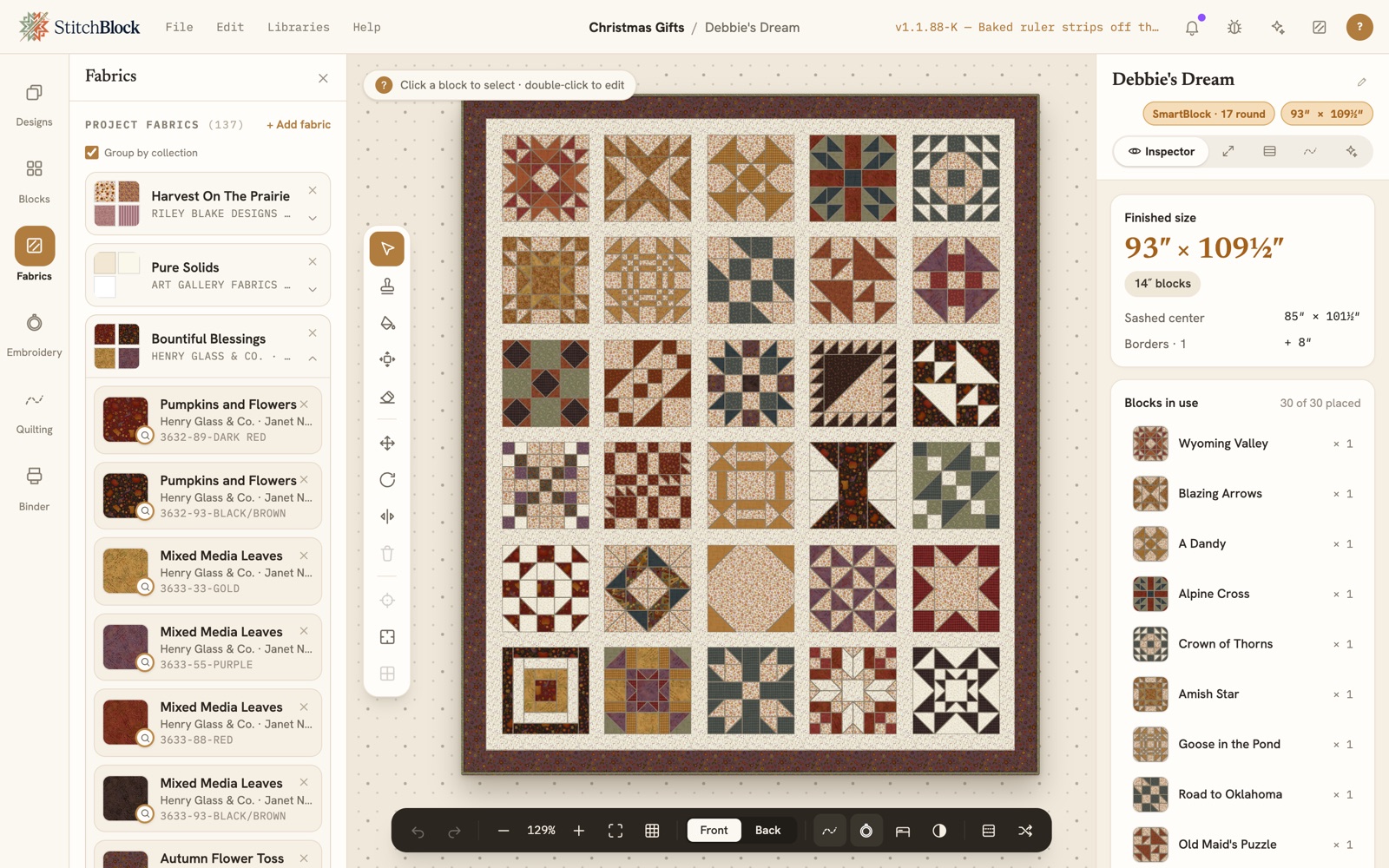
The same quilt in Henry Glass fabrics from the Bountiful Blessings collection, cream sashing and a plum border, with the Fabrics panel listing each print
03 / VALUE

See it in black and white.

Value, how light or dark a fabric reads, is what makes a block's design show. One tap takes the color out of the quilt, so you can see whether your lights, mediums and darks carry the pattern before you cut.
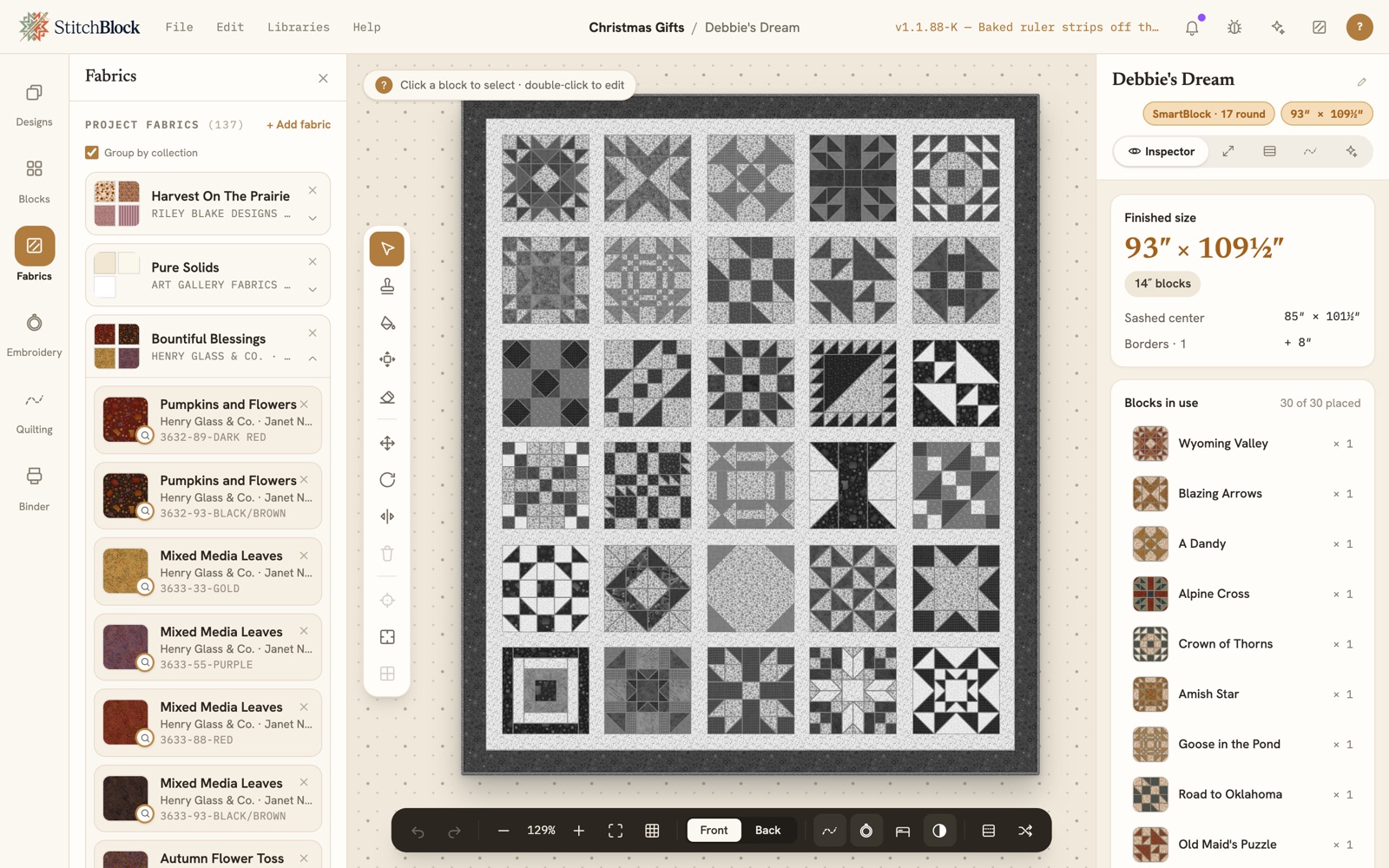
The same quilt with Black and white turned on in the worktable's toolbar: every block in shades of grey, the dark stars and the light backgrounds easy to tell apart
04 / THE MATH

The math checks itself.

Every change to your quilt instantly updates the math, so your cutting sizes and fabric amounts stay in step with your design.
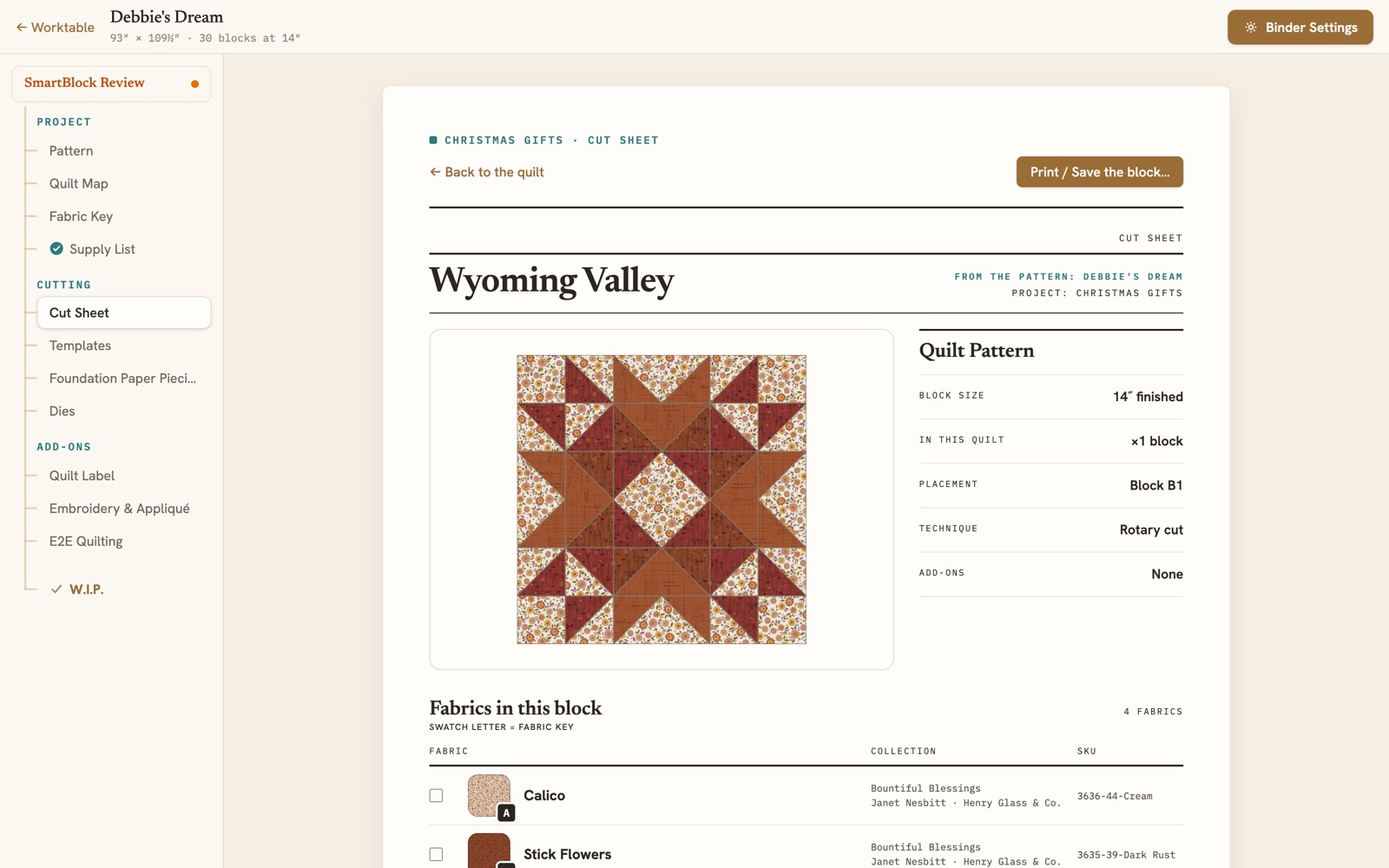
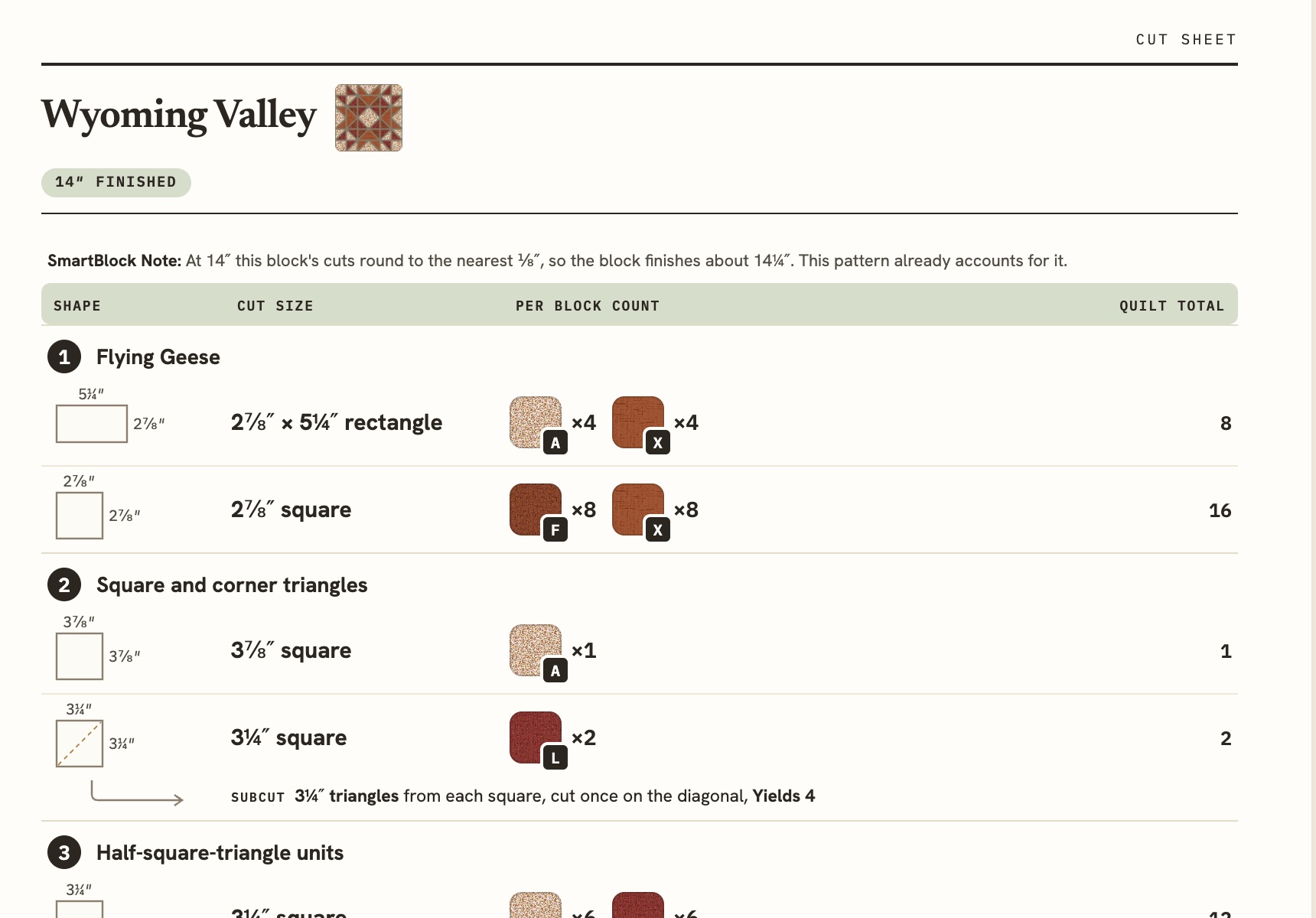
The Binder's Cut Sheet for the Wyoming Valley block: the block in its fabrics, its size, placement and technique, and the fabrics it cuts from
05 / PATTERN PACK

Print it. Go sew.

All in one place: cut sheets, supply list, fabric yardage, and finishing instructions. Print them or view them on your phone, and track your progress as you sew.

Download a Sample Pattern Pack ↓

A real pack, printed out of the app: 51 pages, no sign-up.
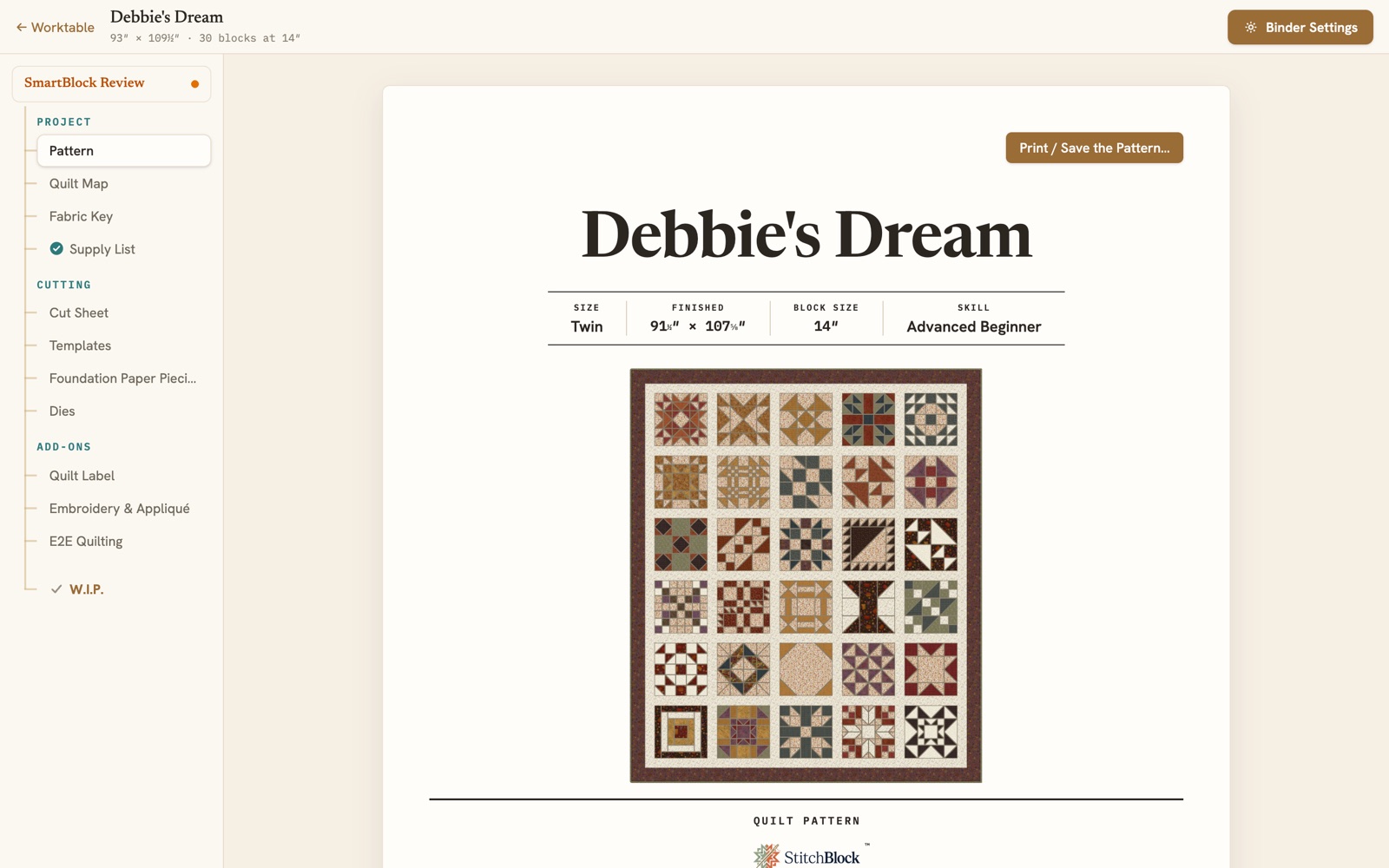
The Binder's Pattern page: the quilt's cover with its bed size, finished size, block size and skill level, and the Print / Save the Pattern button
8,000+
Real fabrics, with more coming
350+
Collections, regular & seasonal
6
Manufacturers, and growing
⅛ yd
Yardage precision, waste included
THE WORKTABLE

No courses to take. No forms to fill in. Just start creating.

Deep tools behind an intuitive interface: go from idea to a quilt in real fabrics to a photo render in two minutes. Then keep going: custom blocks, precut packs, foundation paper piecing, embroidery, quilting. Settings and borders preview live while the cutting math keeps up in the background.

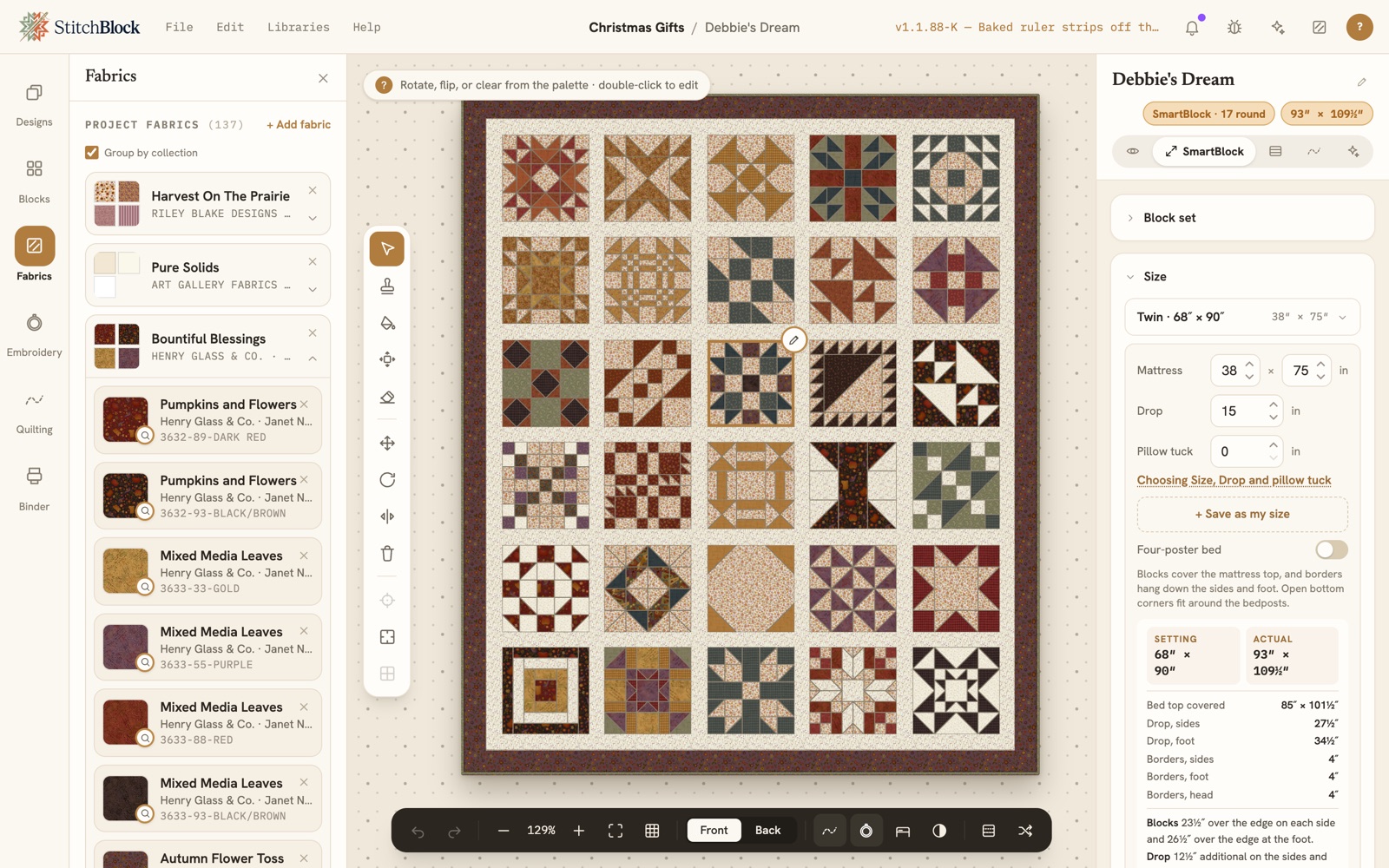
THE WORKTABLE AS IT IS · A BED-SIZED SAMPLER IN HENRY GLASS FABRICS · SMARTBLOCK OPEN
The StitchBlock worktable: a sampler in Henry Glass fabrics with a block selected, the Fabrics panel on the left, and the SmartBlock tab open on the right on the Size card, where the quilt is sized to a twin mattress with its drop
THE CATALOG & YOUR STASH

Audition the real thing.

Explore everyday and seasonal fabric collections from manufacturers, with every swatch shown at its actual printed scale. What you see on the block is what lands on the fabric. New lines arrive as participating manufacturers release them to us, so you design with fabrics that are in stores now and on their way. Use a pre-release fabric in a quilt, or add it to your wishlist, and we'll tell you the moment it's available to buy.

Mark what you already own. The cut list splits itself into from stash and to buy, so you shop for exactly what's missing.

From stash
2¼ yd
To buy
1½ yd
The Wyoming Valley block's cutting table from the Binder's Cut Sheet: a SmartBlock note that its cuts round to the nearest eighth, then each shape with its cut size, the fabric and count per block, and the quilt total
INSTRUCTIONS & ASSEMBLY

Every step, from first cut to binding.

Cutting instructions for each unit, organized by fabric and block, with a clearly listed waste allowance and yardage rounded up to the nearest ¼ or ⅛ yard, your choice.

Finishing is part of the plan, not an afterthought: backing layout with piecing, batting size, binding strips, even a scalloped edge.

STITCHBLOCK

The parts that feel like magic.

Six things no spreadsheet can do.

Try On Tool

Pull fabrics into a tray and try them on the quilt before you commit: by colorway, by block, by value, or one piece at a time. Keep what works, put the rest back, and the quilt is never left half-painted.

Photoreal render

See the finished quilt (drape, texture, light) before the first cut. Audition three colorways in the time it takes to thread a needle.

Mobile Companion

Recolor your cloud quilts anywhere, capture fabrics as you find them, and shop from your list. At the sewing table, the cutting tool walks you through your cuts straight from the app.

Design with precuts

Bring the charm pack or jelly roll you own into the project and Fabric-Fit says what it cuts: every piece the pack covers lights up on the design, the pack goes on the supply list as one line, and only the rest is bought by the yard. When a print runs out, the app asks on the spot.

SmartBlock

One tab that knows your blocks: the layout, the quilt and block size, and whether every cut lands on the ruler. The pill above it turns green when the whole quilt is Exact-Cut, and names the blocks that round when it isn't.

Coping and framing, one tap

When blocks round to the nearest eighth, SmartBlock offers the fix: keep the size and cope those blocks, or shift the size and cope fewer. One tap writes the strips, and the pattern cuts and sews every one. Framing grows a block with plain rounds the same way.

THE HABERDASHERY

Community quilts, ready to be yours.

The Haberdashery is your community for sharing quilts and projects. Share your own or try someone else's design, complete with fabrics, blocks, and everything you need to make it. Use it as shared or make it your own.

Browse the Haberdashery
.quilt Portable project files, yours on every plan, forever.
Works offline. Installable, no internet required to design.
$0 No account needed to start designing.

Free to dream. Pay to make.

Designing is free forever. The paid plans unlock what you take to the cutting table.

Sketch
Free

The full design surface, for as long as you like.

  • · Full worktable, every block, every setting
  • · Whole fabric catalog to audition
  • · Unlimited stash tracking
  • · Save .quilt files, always
Start free
Most popular
Maker
$9 / month
or $79 / year (about three months free)
  • · Pattern Pack PDF, unwatermarked
  • · Full cut list, strip by strip
  • · Print-ready cut sheets & FPP papers
  • · Finishing math: backing, batting, binding
  • · Printed panels & binder sheets
  • · Save your own blocks from the Block Builder
  • · On your phone: guided cutting, stash & exact yardage
  • · Clean, unwatermarked exports & renders
  • · Unlimited projects + cloud sync
  • · Monthly AI allowance
Get Maker
Guild
$149 / year

One purchase, 25 seats. Enough for your board, your bee or your program committee. Bigger guild? Talk to us.

  • · 25 individual accounts
  • · Full Maker features for every seat
  • · Private designs & stash per member
Talk to us

AI credit packs: $5 / 50 credits · $10 / 120 credits. Prices in USD. Cancel any time.

Your stash is waiting.

Design your next quilt tonight. No account, no card, no install.

Start designing free