Check your quilt's values
See your quilt without color, or about the way someone who is colorblind or has cataracts sees it. It also says what the quilt lacks, with one tap to the fabrics that would fix it.
Value does the work and color gets the credit. A quilt reads from across the room by its lights, mediums, and darks, and the surest way to see them is to take the color away. Check Quilt Value does that for you.
Where it is
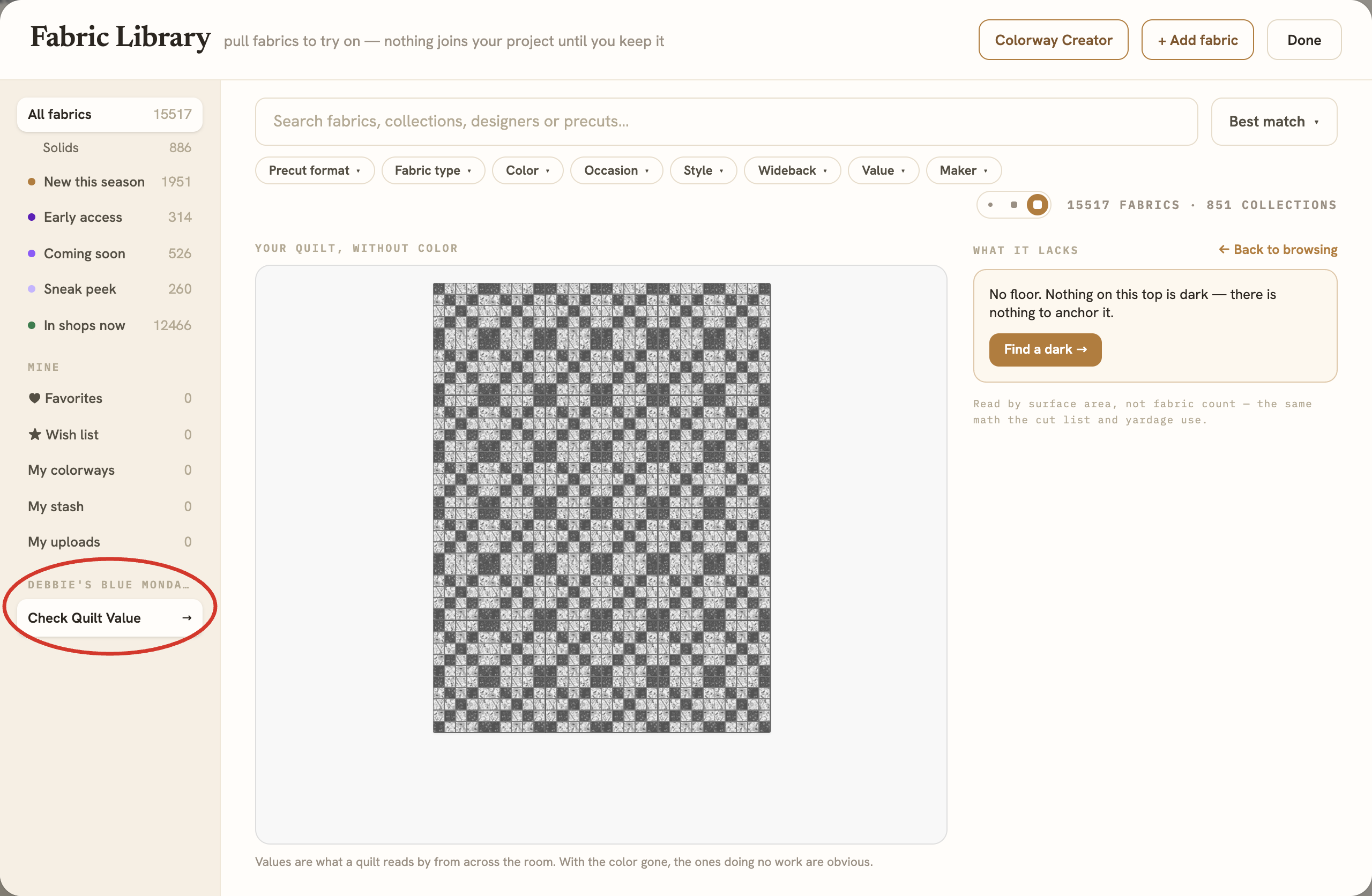
Open the fabric library (Libraries → Fabrics). With a design open, its name heads its own section of the left rail, just after Mine, with one entry beneath it: Check Quilt Value. Tap it and the library’s body becomes your quilt in grayscale, with a short reading beside it.
For the plain look without the reading, the worktable’s command dock has a Black & white button of its own: tap it and the quilt on the worktable loses its color, tap again and it comes back. See Tools of the Worktable.
See it the way other eyes do
Five buttons sit above the quilt: Full color, Without color, Red-green colorblind, Blue-yellow colorblind and Cataracts. Tap one of the last three to see your quilt about the way that person sees it. Some fabrics may be harder to tell apart. Tap Full color to compare with your quilt as you designed it.
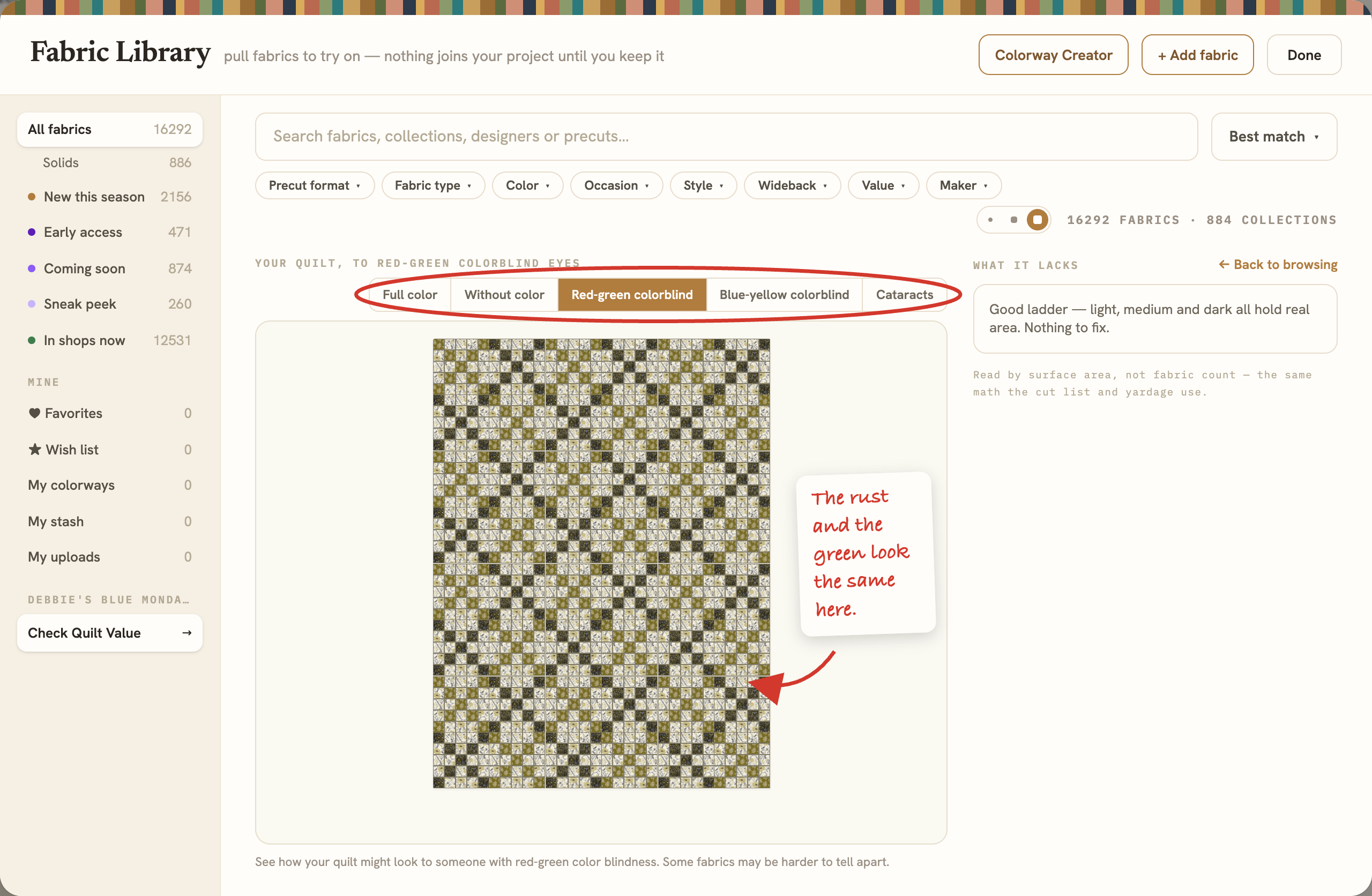
Red-green colorblind is the most common kind, and most people with it were born with it. Blue-yellow colorblind more often comes later in life, with diabetes, glaucoma or age. Cataracts cloud and yellow the eye’s lens: whites turn cream, blues and purples dull, and dark fabrics get hard to tell apart. Cataracts vary a lot from person to person, so take that view as a rough guide.
Tap Without color to go back. The reading on the right is the same in every view. For each fabric’s color in words, open the Color Guide
How it reads your quilt
The reading goes by surface area, not by how many fabrics you used. It is the same math the cut list and yardage use. A single dark patch in one corner is a few percent of the top, so it doesn’t count as having a dark. If one value covers most of the top, or there is no dark to anchor it or no light to lift it, the reading says so in one sentence. If the top reads fine, it says that and offers nothing.
Prints from the Fabric Library carry a value on record. A fabric you photographed yourself has one only if you tapped Suggest tags when you added it. A top made from fabrics with no value is reported as fabric with no value on record rather than guessed at.
Finding the missing value
Each finding has a button, Find a dark or Find a light, that puts you back in the library with the Value filter already set. The filter is an ordinary chip; take it off whenever you like. To leave the view, tap any lane in the left rail, type a search, or tap Check Quilt Value again.
The same check in SmartBlock Review
The Binder’s SmartBlock Review lists a Quilt value row under Before you sew when the reading finds something. Fix opens the library onto this view; Keep these values leaves it be. The Value filter in the library points here too, for when you’re choosing a value and want to see what the quilt already has.