How do I change or cancel my subscription?
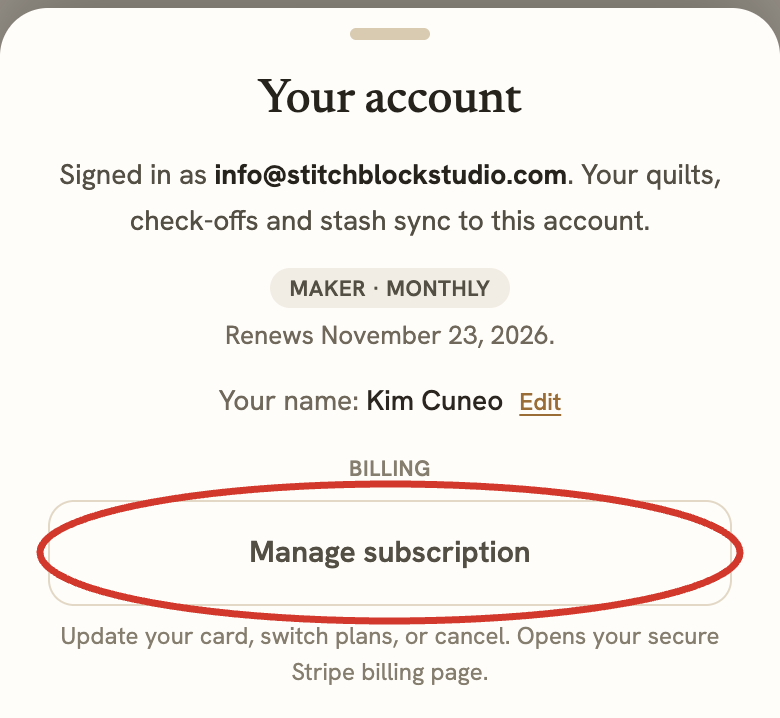
Account & billing has a Manage subscription button. It opens your billing page, where you update your card, find receipts, switch between monthly and yearly, or cancel.
Your Maker plan renews by itself at the end of each month or year until you cancel. You can change it or cancel it yourself, any time, in a few taps.
Find Manage subscription
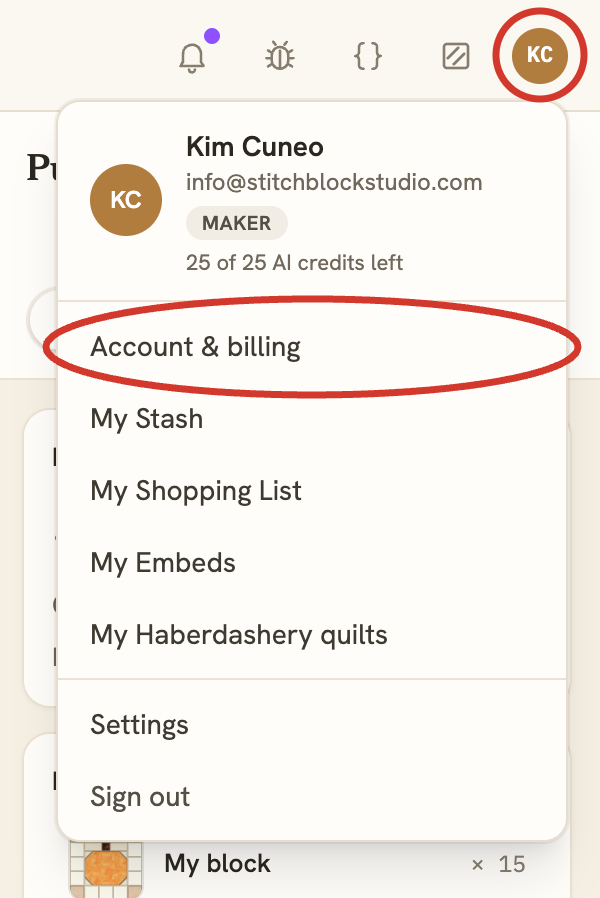
Tap your initials at the top right of the screen.
Tap Account & billing.
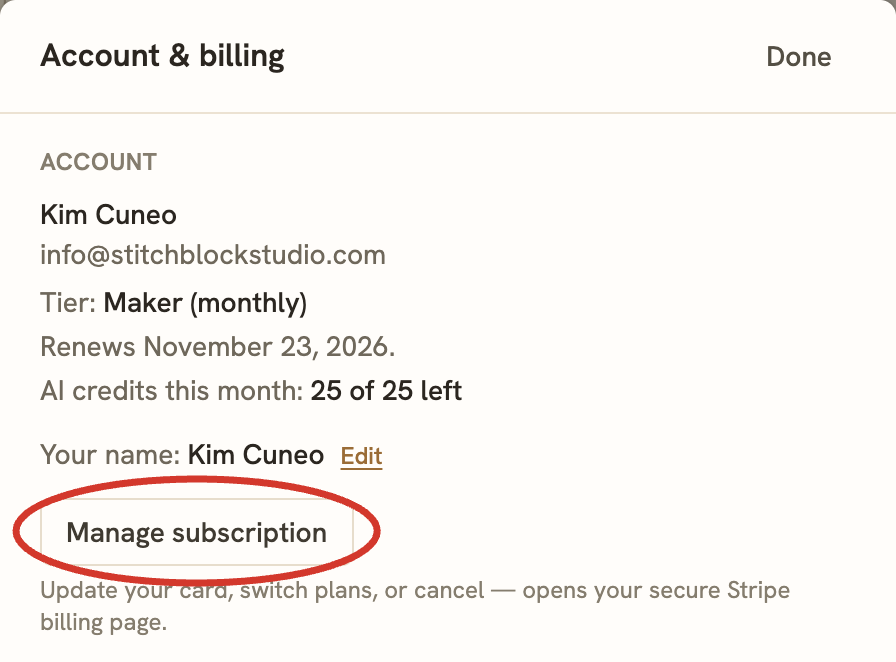
Under your plan you see the day it renews. Tap Manage subscription.
Your billing page opens at Stripe, the company that handles our payments. It opens on your own plan, so there is nothing more to sign in to.
Tip: No Manage subscription button? Check that you are signed in with the email you used when you subscribed. A free account shows Upgrade to Maker in its place.
What you can do on the billing page
Update the card you pay with. Find your past invoices and receipts. Change the email or address on your receipts. Switch Maker between monthly and yearly. Cancel your plan.
When you cancel
Your plan stays on until the end of the month or year you already paid for, and you are not charged again. Account & billing then shows the day your plan ends in place of the day it renews.
Canceling partway through does not refund the rest of that month or year. Changed your mind before the end day? Tap Manage subscription again and renew your plan there.
After your plan ends
Nothing is deleted. You can still open and export all your quilts, but only your most recently synced quilt will keep saving to the cloud.
Resubscribe anytime and everything unlocks as you left it. There’s nothing to restore. What a free account can do is in What's free, and what does Maker add?
On your phone
Tap your initials at the top right. Your account opens. Under Billing, tap Manage subscription. It opens the same billing page.