Precuts: how the app knows what a pack holds
A pack’s piece count is never in doubt. How many of each print is inside often is. What the app does with recorded print quantities, with an assumed split, and with no list at all, and when it asks.
Every precut pack sells with a piece count, such as 42 five-inch squares or 40 strips, and that number is never in doubt. What varies is how many of each print are inside. Manufacturers rarely publish it, shops put together their own bundles, and big collections ship split by colorway. The app keeps the two apart. The piece count is a fact it plans with. The print quantities are a fact when you or the library record them, and an assumption until then.
Recorded print quantities
When a pack’s print quantities are recorded, from the library or by you in My Stash, the app treats them as facts. In My Stash, the pencil on the pack’s card opens the counting sheet. Each print covers pieces up to its quantity, and the pieces past it cut from yardage on that fabric’s own row. The question comes at the stroke that goes past: Your 5″ Square Pack runs out of this print here. The pack row and the pack card both say Pack contents recorded.
When the quantities are assumed
When the pack lists its prints but not how many of each, the app assumes the manufacturer split them evenly and rounds down. The pack’s row in the Fabrics panel says so: 2 of each print, assumed. Inventory your pack in My Stash if different. A fat quarter or fat eighth bundle is not assumed: it holds one of each print.
A 42-piece pack with 30 prints has at least one of each, with 12 pieces left over that belong to some of the prints. Those leftovers are real fabric, so they cover a second piece of whichever prints you paint more of. It is one extra each, because an even split gives a print the rounded-down number or one more, never five of one print from a 42-piece pack. Painting a second piece of a print is not a run-out.
The piece past that, or any piece once the leftovers are used up, goes to yardage. The question then says Print quantities vary, with Read Precuts beside it. Read Precuts opens this page.
While leftovers are in use the pack card turns honey, and the pack’s section under Details has Record print quantities. That opens the pack’s own sheet right there. If the pack was not in My Stash, it is recorded there for you. The sheet asks whether you have at least one of each print, then you tap what is in your pack. Once you do, the app uses your numbers everywhere in place of the assumed split.
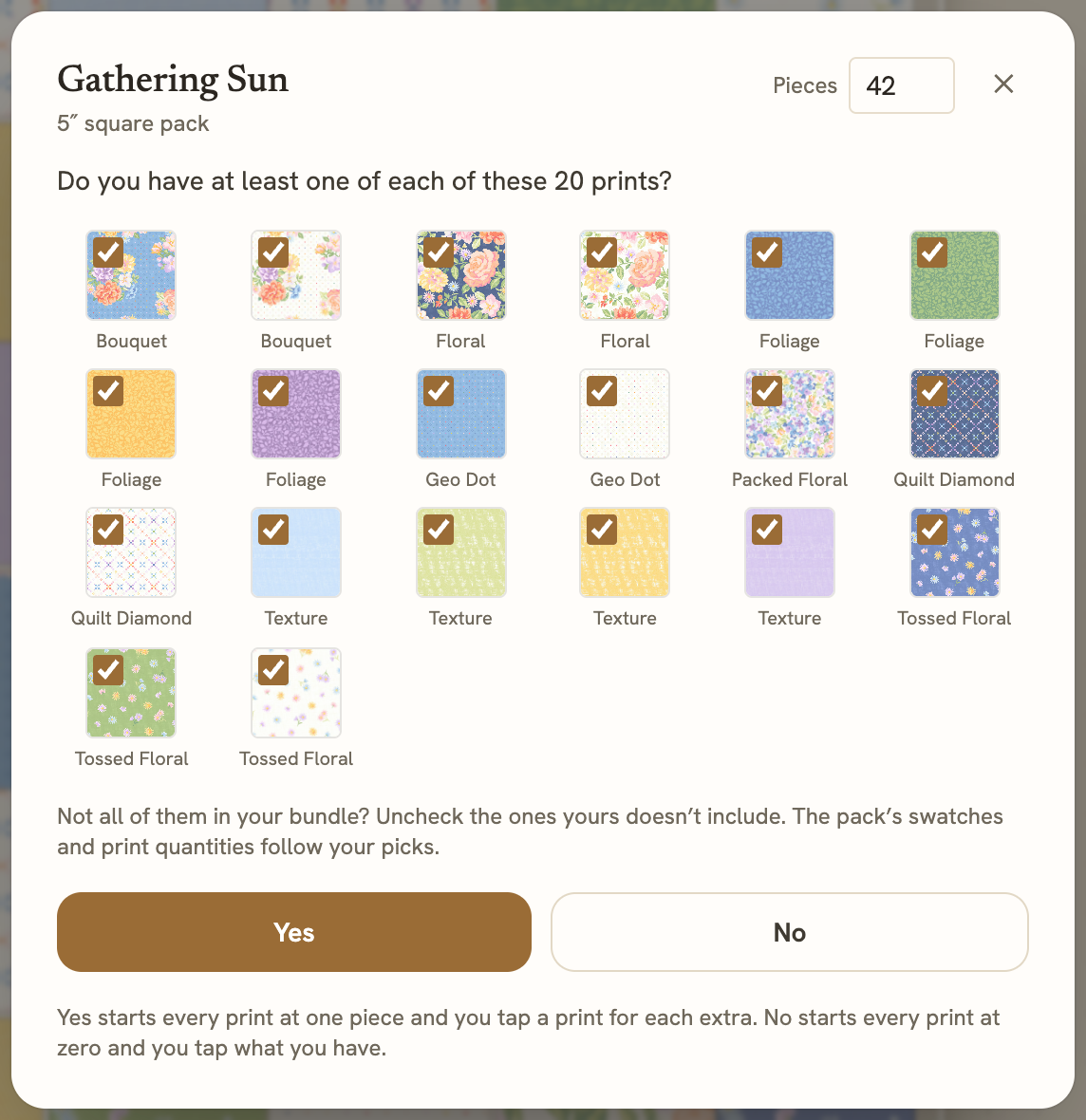
No print list at all
A pack with no recorded list shows the collection’s fabrics so you can still paint. Its note reads: Contents are assumed, as precuts can be random. Inventory your pack in My Stash if different. Nothing is called short and nothing runs out. Fabric-Fit shows the pack for review until its print quantities are recorded in My Stash.
There is more about precuts on two pages. Bring a precut pack into your project covers adding a pack and painting from it. How your precuts get used covers what the pack card and the pattern do with it.